| |
| I needed to replace my aged, bulky, Kodak DC210+ and, on a friend's recommendation, decided on the Minolta. I ordered it on-line from http://www.internetcamerasdirect.co.uk and it arrived the following day. My friend suggested that the 8Mb memory card supplied was far too small and that I should order a 64Mb card as well, which I did. I also requested the carrying case and miniature tripod. In addition, the company was offering 4 x rechargeable AA cells and a charger. These are 2000 milliAmp-hour capacity NiMH type and, as their price was less than I could buy them at trade, I added them to the order. |
|
| I confess that I read the instruction booklet before I started to use the camera, although much of it I could have guessed. I set the picture resolution to the highest "S" which gives 1200 x 1600. The camera thinks it can store over 150 images on the 64Mb card at this resolution. At "F" resolution, 244 and at "E" 630 images!. I'm a little confused because the reseller's technical specification listed FOUR resolution modes but there are only three. Not that it matters. "S" gives a reasonable print for holiday "snaps" and magazine articles, but you wouldn't use this camera to produce, say, a glossy magazine cover! "F" is OK for displaying on a monitor screen and "E" gives decent images to use on your web site. |
|
| According to the PDF User Instructions, the following modes are available: Resolution - type - 8Mb (64Mb) memory card
| 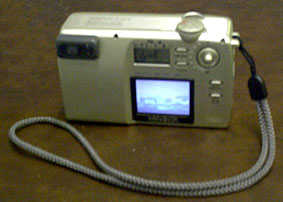 LCD screen is small but adequate LCD screen is small but adequate |
| USING IT In use, it's simple to press a button to change the resolution so you can "mix and match" as you go - assuming you know what use you intend to put your images to. I tend to leave "S selected. Taking a picture is easy. You point the camera, look through the viewfinder (or use the LCD), press the button to focus automatically (wait for the light) then press the button all the way. It takes about 2 seconds to store an image at "S" resolution, then the camera is ready for the next shot. A lot quicker than my old Kodak DC210. The auto focus won't work in low light levels - especially indoors with incandescent lighting - so you have to select multifunction mode (I think). To be frank, I haven't figured out how to do this yet. It seems to rely on my changing some menu settings. There's a "digital zoom" setting available in this mode. Pressing the "joystick" upwards will zoom in mechanically. Pressing it again, magnifies by 1.5 times and pressing again magnifies by 2.0 times. This "magnification" is done purely by interpolation. I'm not convinced of its usefulness but I'll reserve judgment till I've actually tried it and compared the result with what "PhotoShop" can manage. Also in "multifunction mode" is the option to use "movie mode". The resolution available is low (either 320 x 240 or 160 x 120) but it's still a very handy function. Sound is not recorded. Of course it "eats" up memory but you can actually store about 15 minutes of very low resolution movie on a 64Mb card! The resultant picture on-screen is tiny but useful for web site use. The "mode" button allows almost instant selection of auto-flash, "red-eye flash", "flash on always" plus a close-up "macro" mode and darkness modes. All of these can be combined with a timer function if desired, so you can include yourself in the picture. There's a "review" mode which allows you to view and delete (if desired) specific images (or all). BATTERY LIFE The supplied 2 x AA CR-V3 battery is still indicating "full charge" even after two months of intermittent use (350 photos!). This is amazing since my Kodak could eat 4 x AA cells in minutes. I've charged up the NiMH AA cells that I bought but haven't had to use them yet. But it looks as if I won't even need to take the charger when I go ton holiday. TRANSFERRING IMAGES I plugged the supplied lead into the camera, attached the other end to my USB hub and switched the camera to "review". It displayed the letters "PC" and a folder appeared on the desktop of my G3/233 Mac, running OS9.1. I was able to drag copies of the JPEG images right out of the camera folder onto my Hard Drive. It took a few seconds. Then dragging them again from the camera folder to the wastebasket and emptying "the trash" deleted them instantly from the camera memory card. "Eject" the camera folder, switch it off and disconnect the USB lead. With an earlier system (back to OS8.6) I suspect I would have had to install the USB driver software (supplied on CD). If you use Mac OS8.5 it *might* work but earlier than this and there's no USB support. The camera and software are of course, Windows compatible, too. At the web site http://www.internetcamerasdirect.co.uk/photos is the option of using 50Mb of free storage space for images. This apears to be a ploy to get you to order items such as calendars, mugs, mousemats etc. printed with your images. However, there's no obligation to buy any of these but, if you do want to, they could make attractive presents. Minolta dimage e203 digital camera technical specifications taken from the web site of www.internetcamerasdirect.co.uk
The camera is supplied with a quick reference guide, 8MB SD card, CR-V3 battery, usb cable, hand strap, CD-rom with usb driver (containing instruction manual) and 1 year manufacturer guarantee Other Functions Lens f/2.8-5.6 (Equivalent to 35-105mm on a 35mm camera)
Martin Pickering http://www.The-Cool-Book-Shop.co.uk ________________________ | |
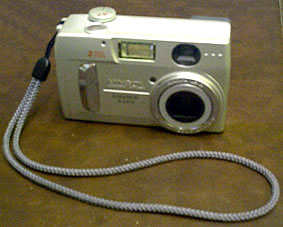
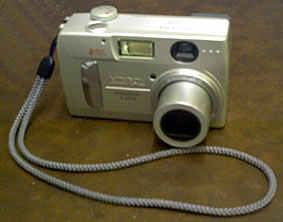 The supplied 8Mb memory card is rather limiting so it's better to spend a little extra on a 64Mb Secure Digital memory card.